


myChevrolet App Features Every Los Angeles Owner Should Know About
Summary
- The myChevrolet app is the most important tool for Los Angeles car owners because it lets you control your vehicle, check its health, and find its location using your phone.
- The myChevrolet app features include remote key fob access, real-time diagnostics, tire pressure monitoring, fuel level checks, Wi-Fi hotspot management, and family sharing for up to eight members.
- To learn how to connect myChevrolet app to vehicle, visit Felix Chevrolet today and let our knowledgeable team walk you through using it.
Also Read: 2026 Chevrolet Blazer EV: The Stylish Electric SUV Built for Los Angeles
The myChevrolet app is one of those tools that Chevy owners download and then forget about. Basically, the myChevrolet app is a digital tool that lets you manage your car from your smartphone. It provides remote start, vehicle health tracking, a map for vehicle location, i.e., to find where you parked your Chevy, and many more!
If you’re unsure how to maximize its use, read this guide and learn how the different myChevrolet app features and Felix Chevrolet make your life simpler.
1. How Remote Start and Remote Key Fob Work Through the App
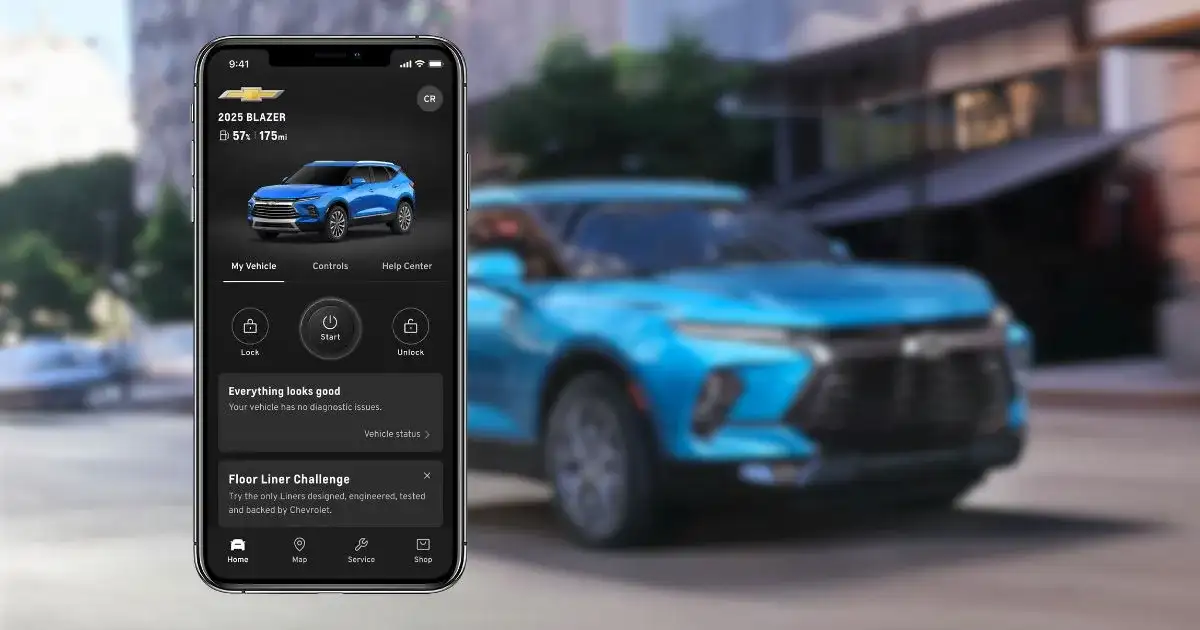
One of the most popular Chevy app features is the remote key fob function. This lets you do these things from your phone screen:
- Remotely start and stop your vehicle,
- Lock and unlock the doors, and
- Sound the horn
The Chevrolet key fob remote start function is especially handy during extreme weather. You can warm up your engine and cabin from inside your home or cool things down before you even walk to the parking lot. It works as long as your vehicle has an active connected services plan through OnStar.
Just download the app on your phone, log in with your Chevy owner account, and make sure to link your vehicle to it. Once done, the remote start button is right on the app’s home screen.
2. Adjusting Climate, Managing In-Vehicle Wi-Fi, and Vehicle Settings Before You Get In
The myChevrolet app climate control feature lets you set the cabin temperature before you even step into the vehicle. You can pair this with the remote start feature to make sure the interior is exactly how you like it when you sit down. The vehicle settings section of the app also lets you:
- Adjust audio presets
- Save your favorite AM, FM, and SiriusXM stations,
- Manage navigation preferences,
- Customize driver settings like Auto Memory Recall,
- Choose which third-party apps to download to your vehicle’s infotainment system, and
- Manage the hotspot name and password to keep your passengers entertained while monitoring the data usage
This level of customization makes your car feel more personal, ensuring that every drive through Los Angeles is as enjoyable as possible.
3. Finding Your Vehicle Location in a Crowded Parking Lot
Los Angeles has some of the biggest parking structures in the world, from the malls at The Grove to the lots at Dodger Stadium. This is where the Chevrolet vehicle locator becomes handy.
The vehicle location feature does the following:
- Shows your vehicle on a digital map so you can see exactly where you parked it,
- Provide walking directions to lead you straight to your door, and
- Sound the horn or flash the lights
The app also lets you set boundary alerts and custom notifications for arrivals and departures. Parents of new teen drivers often find this feature helpful for peace of mind.
4. Checking Vehicle Health Status Without Popping the Hood
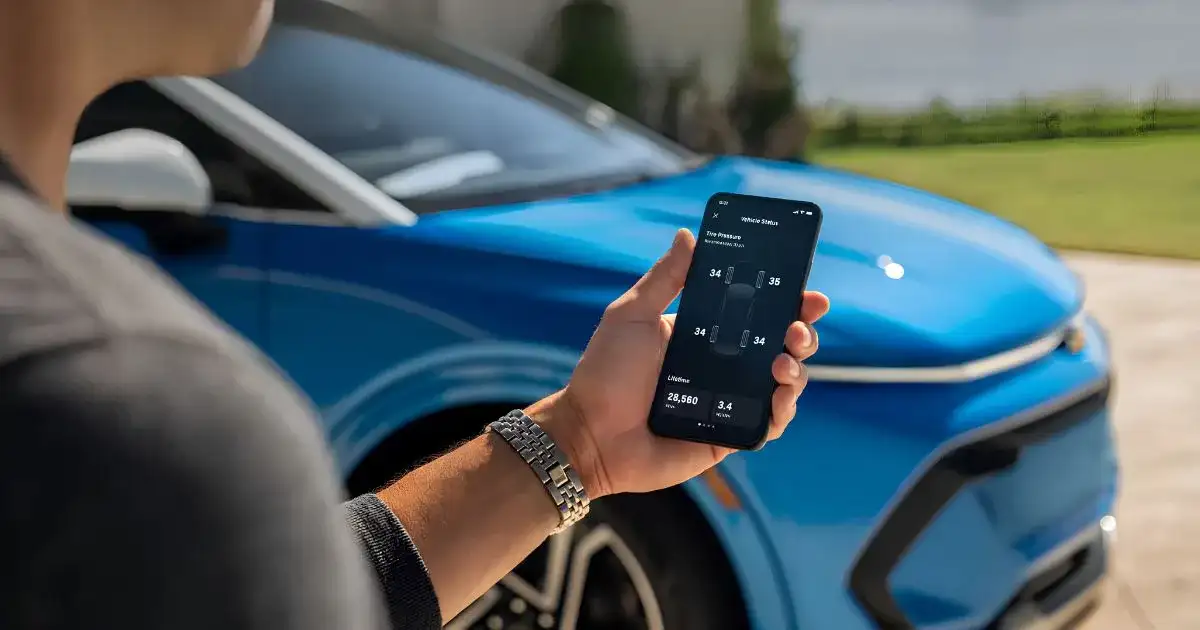
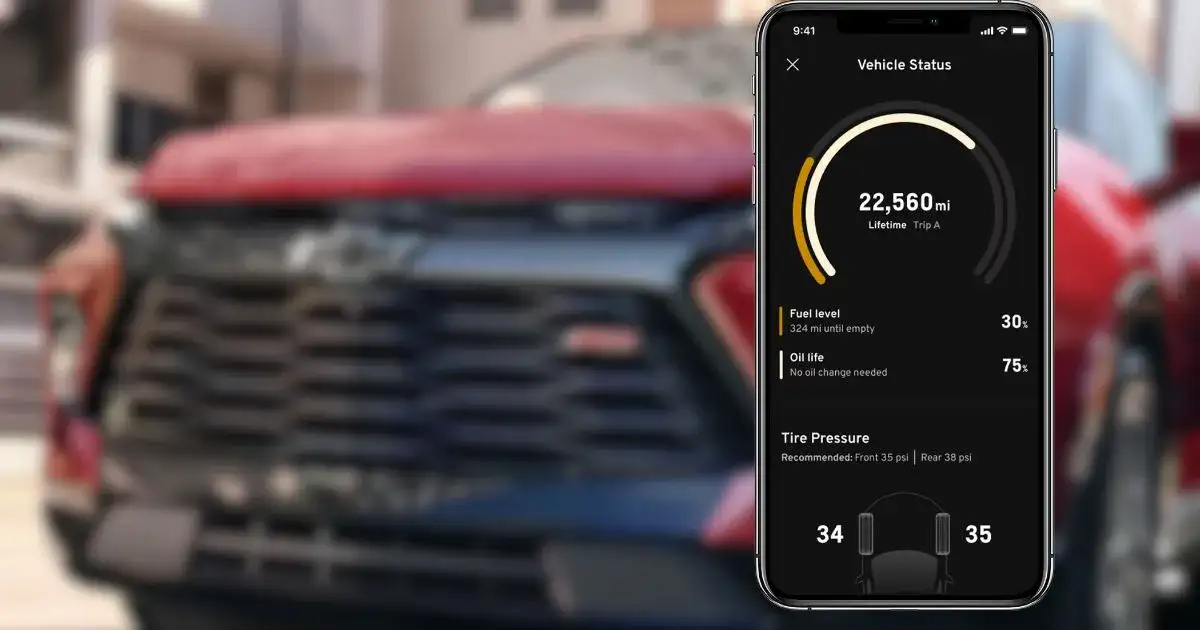
Driving on Los Angeles freeways puts a lot of wear on a car. The MyChevrolet app features include a Vehicle Status page giving you real-time data on your vehicle’s health, including:
- Oil life percentage
- Current fuel level, and
- Tire pressure monitor
You can just open the app and see exactly where you are from your last oil change. And when the oil level gets low, you can set Felix Chevrolet on Figueroa as your preferred dealer and schedule a service appointment. You can also do a tire pressure check from the myChevrolet mobile app. It helps you catch any drop in your PSI, especially when a slow leak or temperature change lowers it without you noticing.
Having this information on your phone makes it easy to stay on top of maintenance.
5. Managing Electric Vehicle Charging Across California
If you drive a Chevrolet electric vehicle like the Bolt EV or the 2026 Chevrolet Equinox EV, the app has special tools that can:
- Check your battery charge status,
- Get plug-in reminders,
- Find nearby charging stations (Find a Charge), and
- Pay for charging through your phone
The Trip Planner and Energy Bubble features help figure out how far you can travel on your current charge. This makes range anxiety less of an issue when traveling from Los Angeles to San Diego or Santa Barbara.
6. Sharing Access with Your Family Members
One of the lesser-known MyChevrolet app features is family sharing. You can add eight family members to your vehicle account, and each person gets to use their own app login. That means everyone in the household can:
- Use the MyChevrolet app remote start,
- Access remote commands like locking/unlocking of the doors,
- Check vehicle status, and
- Find the vehicle location
All these functions can be done from their own phones. What’s more, each person added has their own account, so you don’t have to share passwords.
7. GM Rewards: Earning Points Through the App
The app also ties into the GM Rewards program. As a member, you earn points. You can use them toward a new vehicle purchase, GM Accessories, and Certified Service visits.
You can even track your points balance and see available offers right inside the app. All these make it easy to plan your next service visit or accessory upgrade around your rewards.
Felix Chevrolet Los Angeles participates in the GM Rewards program. If you’re already a member, your points can go to work at their service center or on your next vehicle.
Does the myChevrolet App Require OnStar Account to Work?
This is a common question among Chevrolet vehicle owners, and the short answer is yes. The myChevrolet app is connected through OnStar, which powers the remote features and real-time data.
Without an active OnStar connected services plan, many of the app’s best features won’t be available. Basic functions like viewing owner resources may still work, but the remote start, vehicle location, diagnostics, and climate control all rely on that OnStar connection.
Once you have activated your OnStar connection, here’s how you can set up your MyChevrolet app login and link your Chevy:
- Download the app from Google Play or the Apple App Store
- Create or log in to your myChevrolet app account using the email address you gave Felix Chevrolet,
- Verify your identity through a multi-factor authentication process (new user)
- Tap the ‘Account’ icon (looks like a circle with your initials)
- Select “Add Product’ and ‘Add Vehicle’
- Enter your Vehicle Identification Number (VIN) and other vehicle details
- Select ‘Done’
Most new cars at Felix Chevrolet Los Angeles come with a trial of these services so you can try them out. And, if you’re unsure about your OnStar plan status, check it within the app. You can also contact us for help when setting up.
Final Note
The myChevrolet app is a powerful tool that makes driving in Los Angeles easier and safer. From cooling down your car to finding it in a crowded lot, its features provide real value to every owner.
If you have not downloaded it yet, you are missing out on a better ownership experience. Visit Felix Chevrolet today, learn how to connect and control your vehicle, and explore our Felix Chevrolet inventory of new and certified pre-owned Chevy vehicles.
Where Can I Learn About MyChevrolet App Features and Schedule Chevy Service in Los Angeles, CA?
You can learn more about the myChevrolet app features and schedule your Chevy service at Felix Chevrolet. Our team can connect your MyChevrolet app to your vehicle, walk you through using the remote startup, and make sure your OnStar plan is active. We also offer Felix Chevrolet specials on brake service, oil changes, and new tires when your car needs servicing.
Read Next: 2026 Chevrolet Equinox EV: Is This the Electric SUV for Los Angeles Drivers?

0 comment(s) so far on myChevrolet App Features Every Los Angeles Owner Should Know About